PDF extraction / Formulary matching / Pharmacy network matching
Rx Search & Rescue
A prescription drug plan analysis tool for Medicare insurance agents. It reads the client's Rx Collect PDF, finds every plan in their ZIP, matches pharmacy networks, prices each drug at each pharmacy, and drafts a client-ready report where every number traces back to a formulary line.
- PDF extraction
- Formulary matching
- Pharmacy network matching
- Report generation
- Cloudflare Turnstile
- Role
- Full-stack engineer
- Year
- 2026
- steps, PDF intake to approved report
- 4
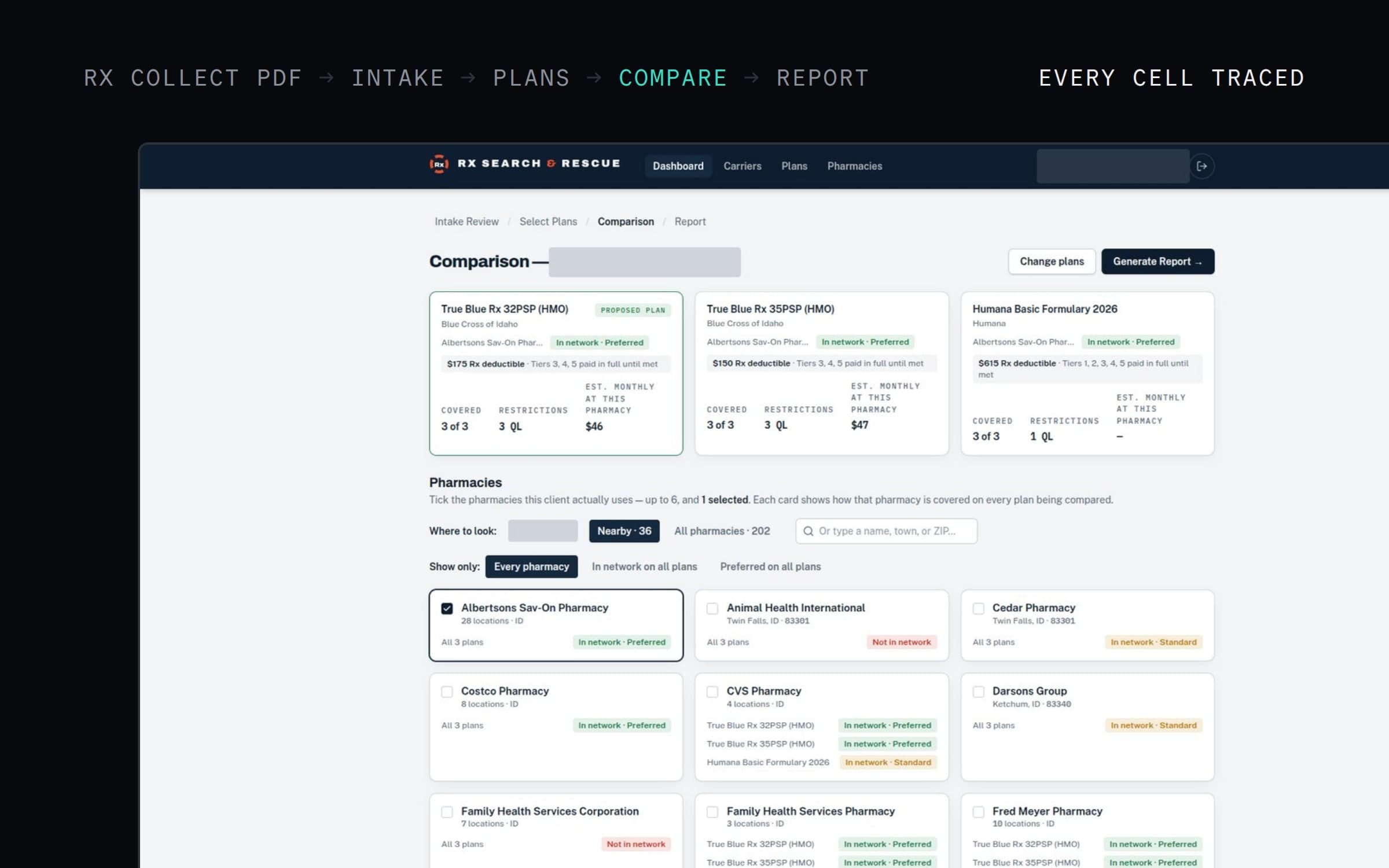
Every enrolment season, Medicare agents compare drug plans for each client: which plans cover their medications, at which tier, at which pharmacy, for how much a month. Rx Search & Rescue does the lookup and the arithmetic, and leaves the judgement and the sign-off with the agent.
Client details are redacted in every screenshot on this page.
One client, end to end
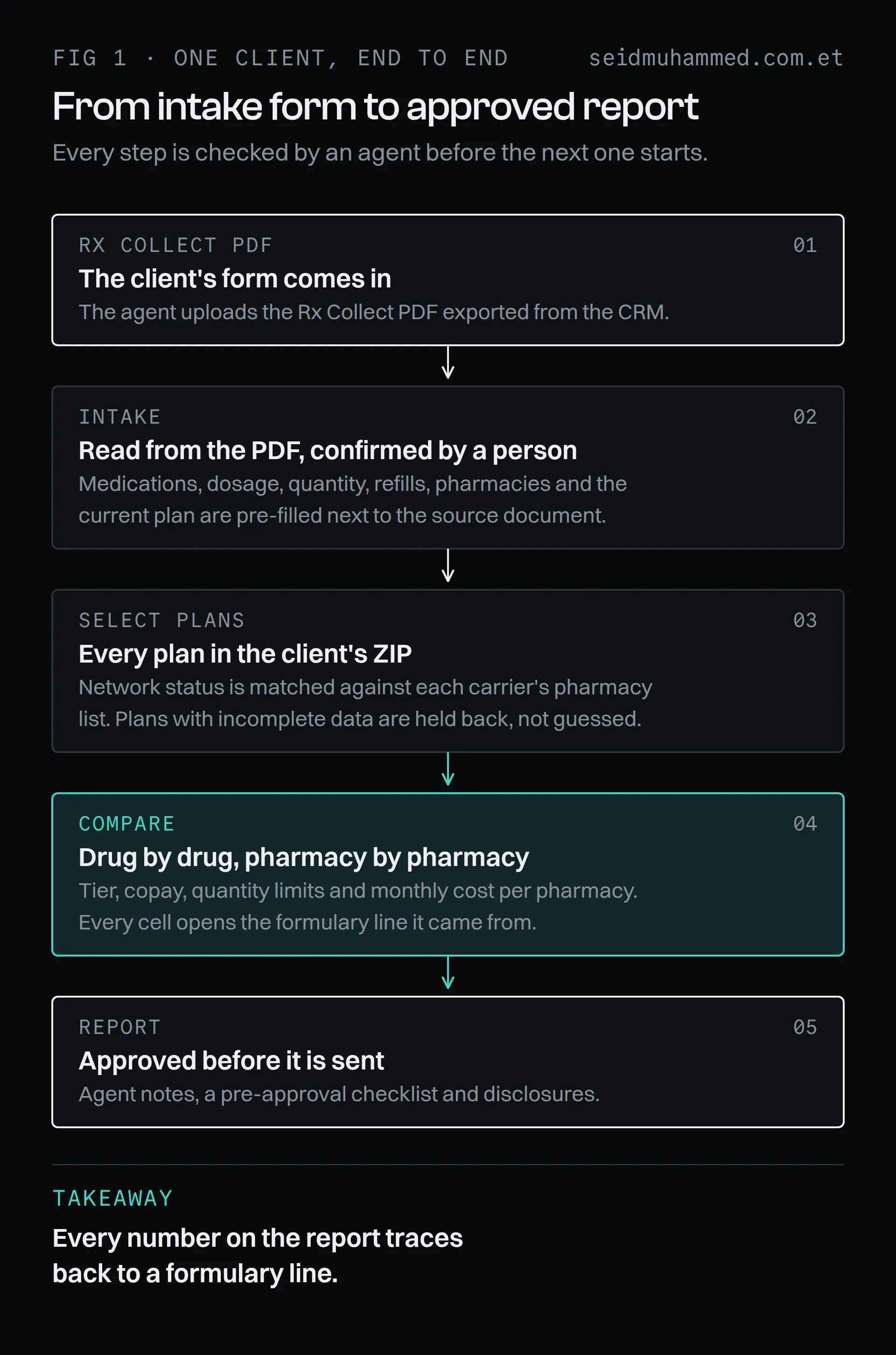
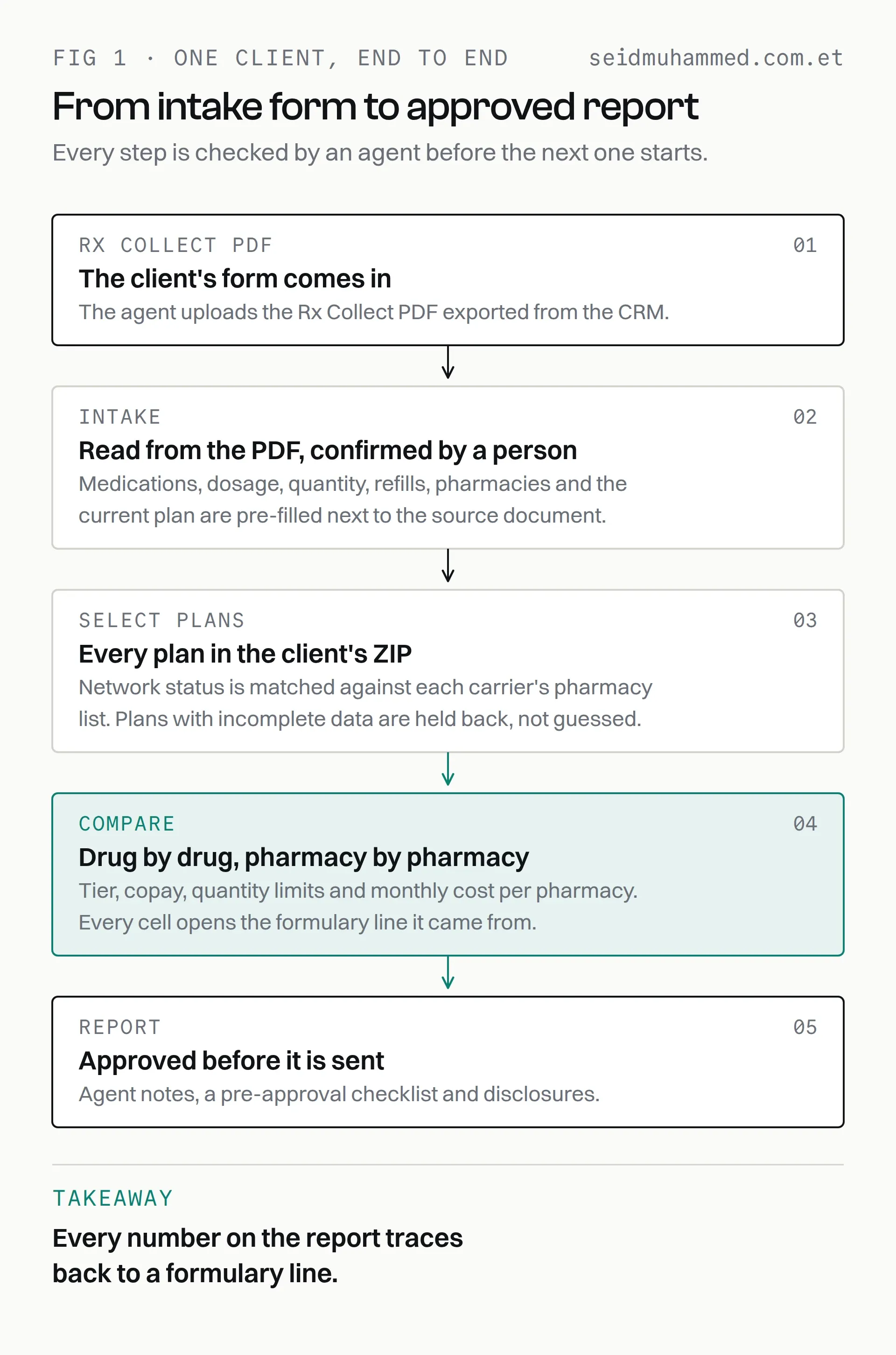
Four screens, each checked by the agent before the next one starts.
Intake: read from the PDF, confirmed by a person
The agent uploads the client's Rx Collect PDF. Medications with dosage, quantity and refill, preferred pharmacies and the current plan are pre-filled beside the source document, so the agent confirms rather than retypes.
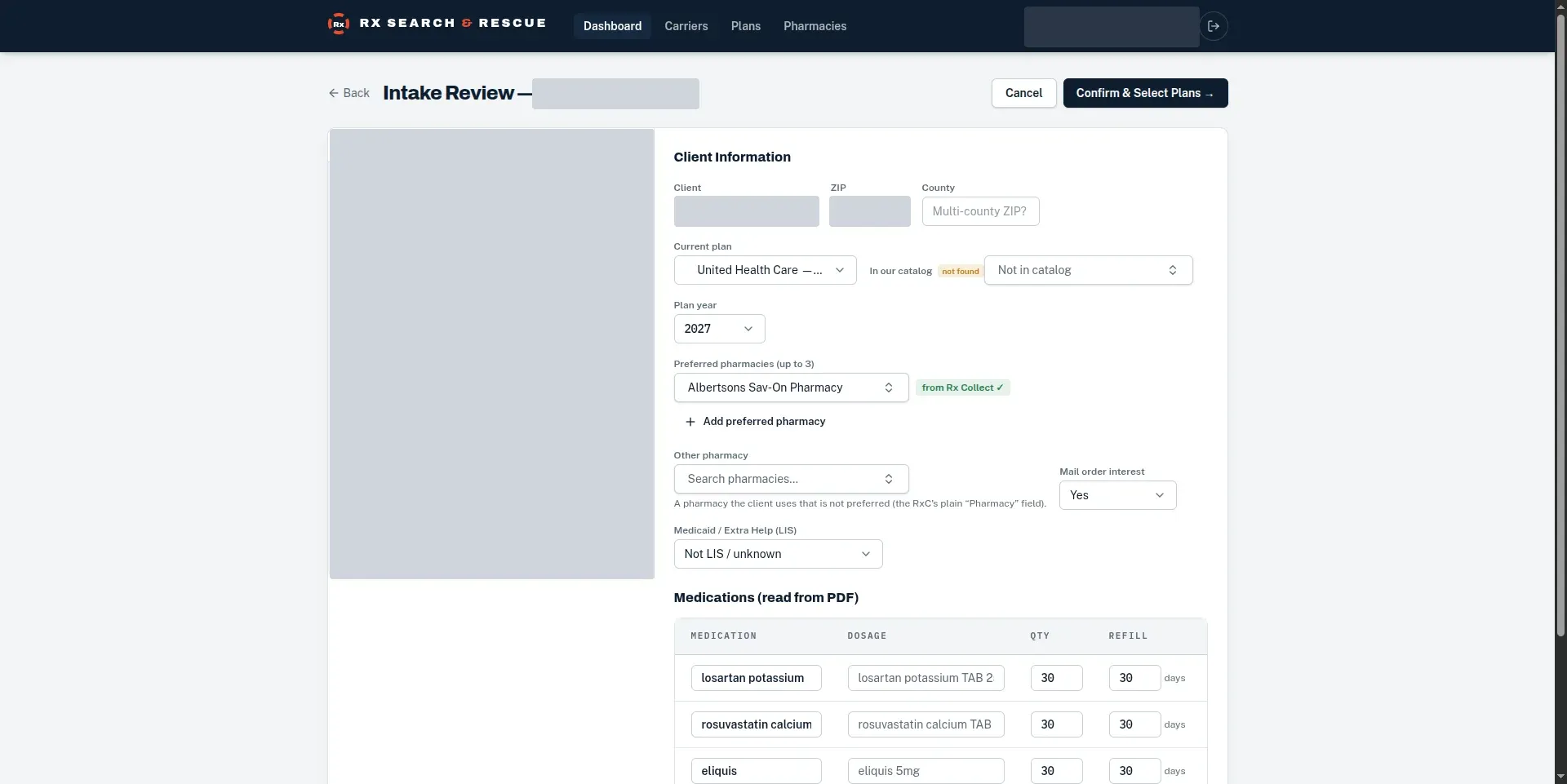
Fields that came from the PDF say so. A plan that isn't in the catalogue says that too.
Plans and pharmacies, matched automatically
Every plan available in the client's ZIP and plan year is listed with its premium, drug deductible and network status at the client's pharmacy. Network status is matched against each carrier's pharmacy list and can be corrected by an admin. Plans with incomplete tier costs are held back and named, not guessed.
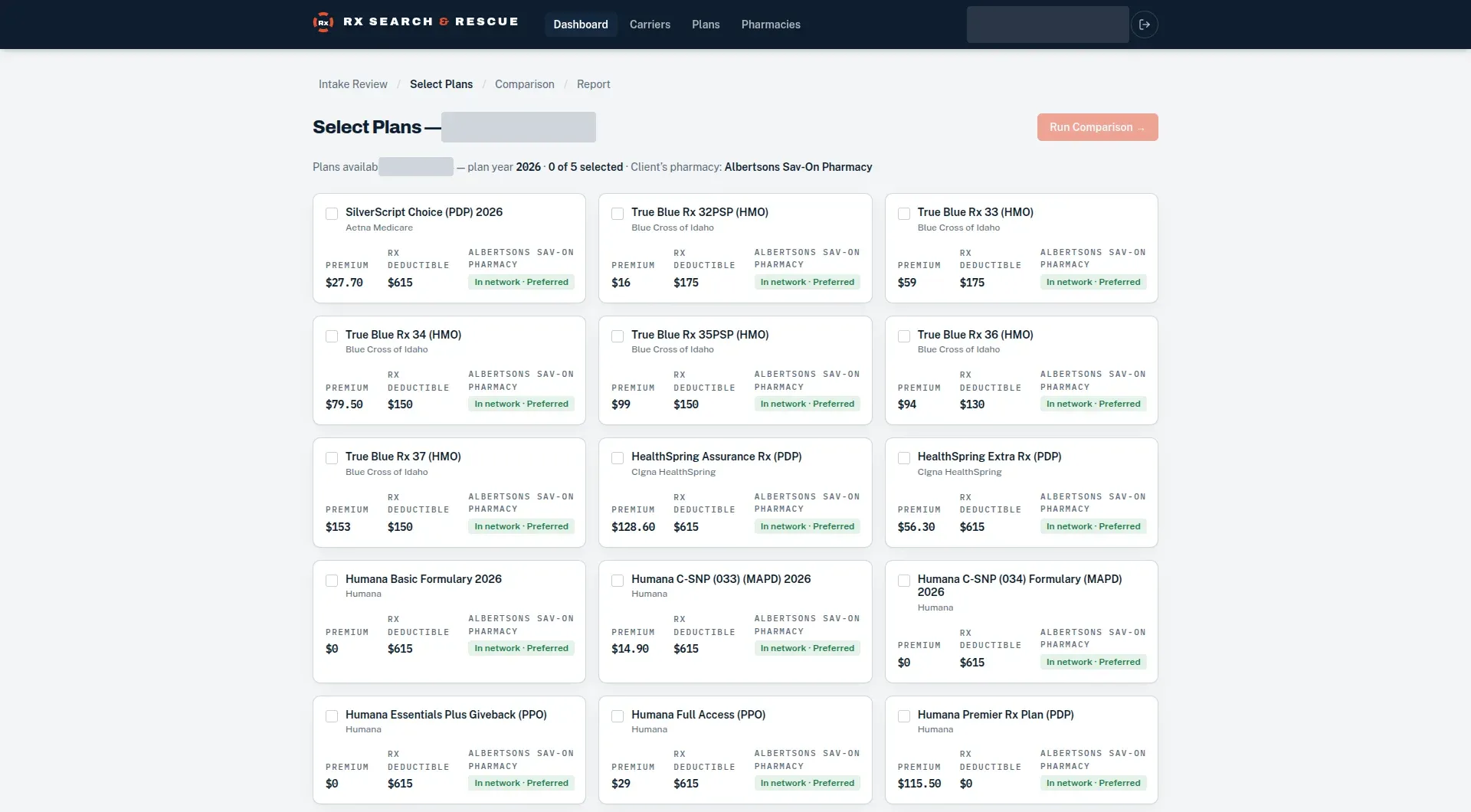
Only plans with a current formulary and complete tier costs are shown.
Comparison: every cell traced
The comparison prices each drug on each plan at each pharmacy, with tier, copay, quantity limits and generic equivalents. Click any cell and it opens the exact formulary line it came from. The screenshot at the top of this page is this screen: coverage, restrictions and estimated monthly cost per plan, then every nearby pharmacy's network status on every plan.
Report: approved before it is sent
The draft report carries the agent's notes, a checklist to work through before approving, and the disclosures. Agents can edit any cell's display text; edited cells are marked, can be restored with one click, and survive a regenerate.
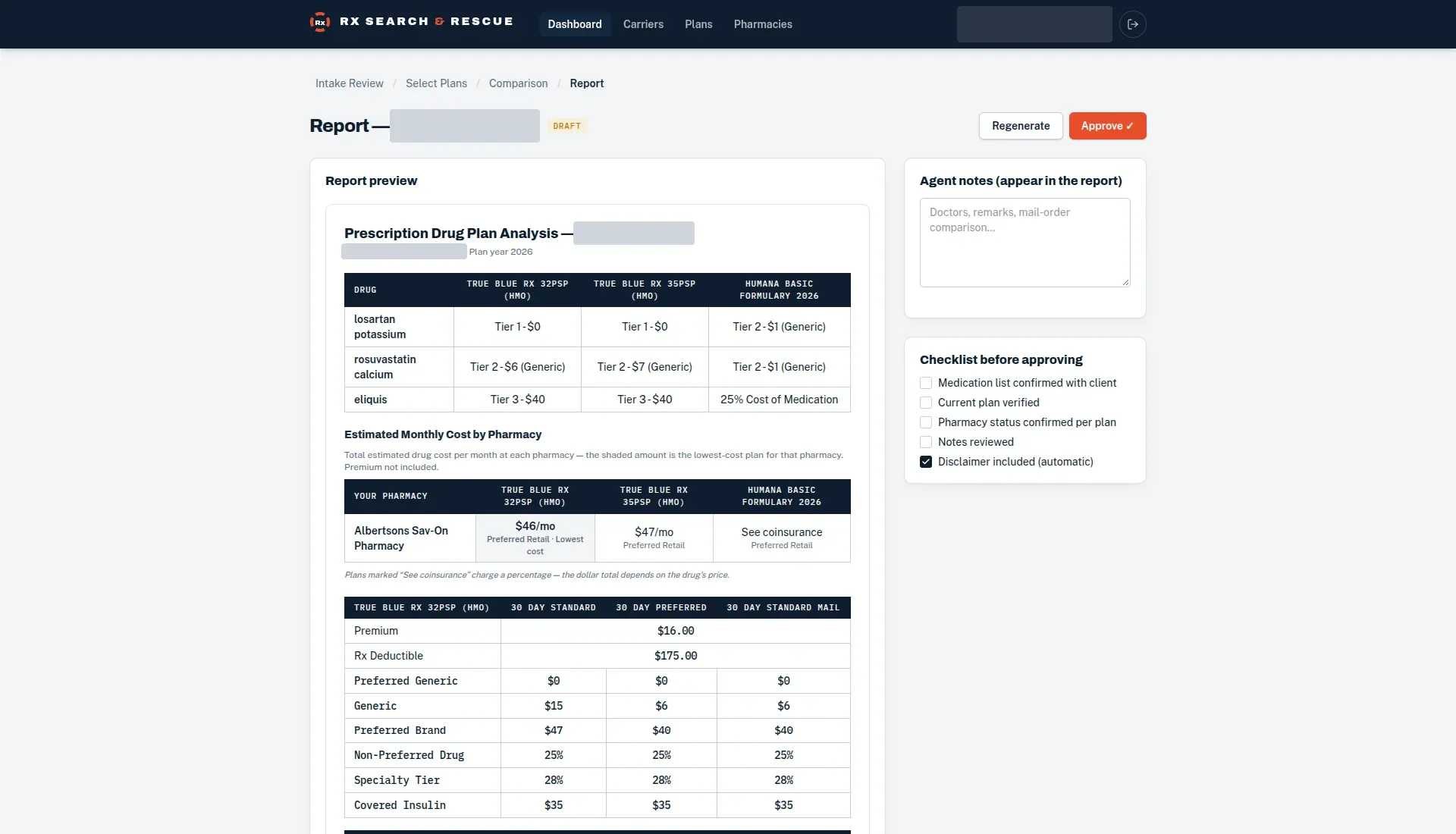
The agent approves the report. The software never does.
Built for protected health information
Sign-in is for authorised agents only, every access is logged, and the login is behind Cloudflare Turnstile. It is the same rule as PlanReel: the software drafts quickly and accurately, and a person signs off.